
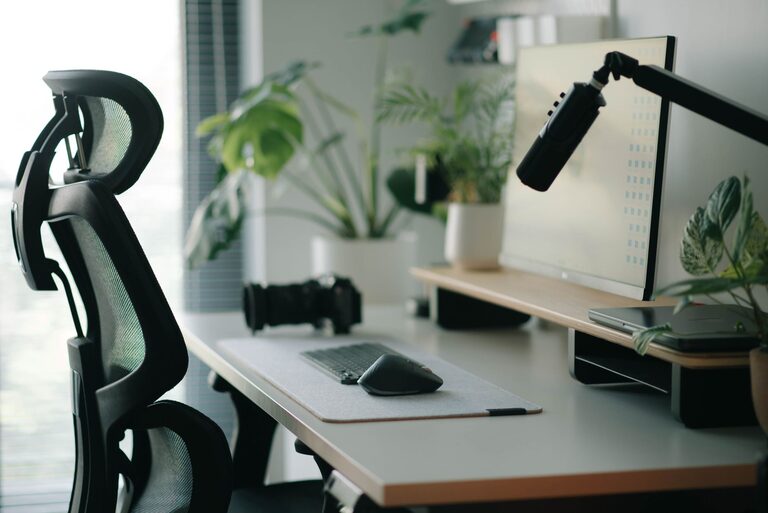
Creating an effective desk setup is essential for maintaining focus and comfort throughout your workday. Whether you work from home or spend long hours at your desk in an office, having a well-organized and ergonomic workspace can significantly improve your productivity and reduce physical strain. In this post, we’ll explore practical tips to help you design a desk setup that supports both concentration and comfort.
Why a Good Desk Setup Matters
A cluttered or poorly arranged desk can lead to distractions, discomfort, and even health issues like neck or back pain. On the other hand, a thoughtfully arranged workspace encourages good posture, minimizes fatigue, and helps you stay engaged with your tasks.
Before diving into the tips, consider how you currently use your desk. Are there frequent distractions? Do you experience discomfort after a few hours? Addressing these points will guide your improvements.
Choosing the Right Desk and Chair
Selecting an Ergonomic Chair
An ergonomic chair supports your spine’s natural curves and promotes good posture. Look for features such as:
– Adjustable seat height and depth
– Lumbar support for your lower back
– Adjustable armrests to keep shoulders relaxed
– A swivel base for mobility
Desk Height and Size
Standard desk height ranges from 28 to 30 inches, but the right height depends on your body dimensions. When seated, your elbows should rest comfortably at a 90-degree angle on the desk surface. Consider adjustable desks or sit-stand desks if you want flexibility throughout the day.
Make sure your desk is spacious enough to hold your essentials without feeling crowded. A cluttered desk can hinder focus.
Organizing Your Workspace for Better Focus
Keep essentials within reach
Place frequently used items like your keyboard, mouse, notepad, and pens close by to reduce unnecessary movement.
Declutter Regularly
Remove items that don’t serve your daily tasks. Keep only the tools and documents you need within arm’s reach.
Use Organizers and Storage
Desk organizers, drawer dividers, and trays help keep small items tidy and save space.
Cable Management
Untangle and secure cables using clips or sleeves. A tidy desk surface reduces visual distractions.
Monitor and Screen Setup
Position Your Monitor Correctly
Place your monitor directly in front of you about an arm’s length away. The top of the screen should be at or slightly below eye level to avoid neck strain.
Adjust Brightness and Glare
Ensure your monitor has an appropriate brightness level and reduce glare by positioning it perpendicular to windows or using curtains.
Multiple Screens
If you use multiple monitors, arrange them so you can glance easily between them without twisting your neck excessively.
Lighting Your Workspace
Good lighting reduces eye strain and improves concentration.
– Use natural light when possible, but avoid glare.
– Add a desk lamp with adjustable brightness and color temperature.
– Position your light source to avoid shadows on your work surface.
Posture and Movement
Maintain Proper Posture
Sit back in your chair with your feet flat on the floor or supported by a footrest. Keep your back straight and shoulders relaxed.
Take Breaks and Move
Stand up, stretch, or walk around every 30-60 minutes to reduce stiffness and boost circulation.
Use a Standing Desk Option
If possible, alternate between sitting and standing to change your posture and reduce fatigue.
Personalize Thoughtfully
Adding personal touches can make your workspace pleasant without causing distractions:
– A small plant for freshness
– Photos or artwork that inspire you
– A comfortable wrist rest or mouse pad
Final Checklist for an Effective Desk Setup
– Ergonomic chair adjusted to your height
– Desk height suits your seated posture
– Monitor at eye level and arm’s length away
– Keyboard and mouse within comfortable reach
– Organized, clutter-free workspace
– Good lighting and minimal glare
– Cable management in place
– Comfortable temperature and ventilation
– Regular breaks and posture checks
Conclusion
A well-planned desk setup plays a big role in keeping you focused and comfortable during work hours. By investing time in setting up your workspace ergonomically and organizing it for efficiency, you can improve your productivity and wellbeing. Start with these tips and tailor them to your preferences for the best results.
Remember, small changes can make a big difference!